Image to video with music for indie artists is a workflow: upload cleared images, turn them into a motion clip or Photo Mode slideshow, then bed the result with your Official Sound so TikTok can discover the track. The job is seeding—not exporting one CapCut lyric image-to-video for fans who already know the words.
This post is the artist/indie seeding playbook: rights notes, a step workflow, and when AmpClip beds beat one-off lyric image-to-video. Soft CTA: AmpClip. Reach, streams, and sound usage are not guaranteed.
What indie artists mean by image to video with music
Indie artists usually mean: take photos you already own (press, phone stills, mood boards), animate or sequence them, add the song, and post vertically. On TikTok, the high-leverage version finishes with your Official Sound selected in-app—not a silent export with music mixed offline that never hits the sound page.
Job-to-be-done:
Step
Artist action
Why it matters
1
Gather cleared images only
Scraped aesthetics create rights risk
2
Choose motion vs Photo Mode
Motion = short clip energy; Photo Mode = swipe beds
3
Write sound-agnostic text
Survives audio swap across seed packs
4
Hand off + attach Official Sound
Streaming-link paste ≠ auto Official Sound
5
Post from main or promo surface
Volume vs brand fatigue tradeoff
If distributors already published your Official Sound, select that library version in TikTok. AmpClip prepares slides/captions; it does not mint a new original sound from a Spotify URL.
Rights note before you animate anything
Cleared images mean assets you own, licensed stock with commercial terms that fit promo, or session photos your agreement allows for social. Curated aesthetic collections are not automatic clearance. AmpClip’s own FAQ: curated does not mean royalty-free; for campaigns that require cleared assets, use only images your team owns or has permission to use.
Practical rights checklist for indie seeding:
Prefer artist-owned: phone stills, band photos, cover-art derivatives you control
Label/manager: keep a shared "cleared pack" per release
Avoid random Pinterest/Tumblr scrapes for paid campaigns
Optional single lyric fragment on one slide ≠ full karaoke transcript of the master
When in doubt, shoot five new stills in one location—cheaper than a takedown mid-campaign.
Workflow: cleared images → seedable clip or slideshow
AmpClip’s loop for indie seeding: paste or upload the track context, choose a visual direction, review Photo Mode formats (resource dumps, micro-stories, aesthetic dumps), edit openings and photos, then schedule delivery or send a phone posting kit so you finish Official Sound in TikTok.
Concrete indie week plan (example: bedroom-pop single):
Monday — 12 cleared stills (room, night walk, handwritten notes)
Tuesday — three premises ("texts I didn’t send," "playlist for leaving early," "soft chaos morning")
Wednesday — generate three Photo Mode decks in AmpClip; swap weak openings
Thursday–Sunday — hand off, attach Official Sound, post 1/day from main or theme/promo surface
Next Monday — keep the premise with best saves; retire lyric-lock experiments that only fans rewatched
AmpClip beds vs one-off CapCut lyric image-to-video
CapCut (and similar) image-to-video + Auto Lyrics is excellent for a hero lyric moment. It is a weak batch engine when every post must mime one recording’s words. AmpClip optimizes for sound-agnostic beds so the same visual recipes work when the audio is the paying artist’s track across a week of inventory.
Need
CapCut lyric image-to-video
AmpClip Photo Mode beds
One stunning lyric share
Strong fit
Optional; not the core product
Week of seed inventory
Manual; lyric-lock limits reuse
Formats built for volume + audio swap
Official Sound finish
You still attach in TikTok
Same—slides/caption handoff
Multi-artist manager studio
Project-by-project
Pro ≤3 artists; Label unlimited roster credits
Cost (AmpClip live FAQ)
CapCut tiers vary
Artist $19/40 · Pro $39/100 · Label $99/300 · Label Plus $249/1,000
Is image to video with music different from a picture slideshow?
Image-to-video often implies motion/animation from stills; slideshow/Photo Mode implies sequenced stills. For seeding, both can work if the bed is Official Sound and the visuals are not karaoke-locked.
Can I use AI-generated images for indie seeding?
Only if your rights and platform rules allow, and the look matches the artist world. Many teams still prefer owned photos for trust. AmpClip does not provide blanket image licensing.
Does pasting a Spotify link attach my Official Sound automatically?
No. AmpClip reads available track details and helps build formats; you select the Official Sound inside TikTok before publishing.
Should bedroom artists post image-to-video beds on main or a burner?
Start on main if volume is low. Move experiments to a burner/theme page when you need volume without fatiguing core fans (burner guide).
Does AmpClip guarantee streams from image-to-video posts?
No. Production and scheduling help only; reach, streams, and usage are not guaranteed.
Next steps for your indie seeding week
Build a cleared 12-image pack for the release
Write three premises that pass the audio-swap test
Produce beds in AmpClip; finish Official Sound in TikTok
Compare against one CapCut lyric hero—keep lyric scarce, beds for volume
A music promo video on TikTok should usually mean Official Sound seeding inventory—Photo Mode / stills beds that carry your track—not only a traditional music video or lyric MV. MVs and lyric videos still earn hero moments; they are expensive or song-locked when the weekly job is volume under one sound page.
This Play B guide redefines music promo video for sound seeding, shows when MV/lyric helps vs when beds win, and maps a practical mix. Soft CTA: AmpClip. Reach, streams, and usage are not guaranteed.
Redefine "music promo video" as sound-seeding inventory
For TikTok campaigns, a music promo video is any vertical asset whose primary job is to put the paying artist’s Official Sound in front of new listeners—often as the bed under a carousel that people save or stitch. That definition favors repeatable Photo Mode beds over one cinematic shoot.
Decision filter (use before you budget):
If success = sound-page creates / uses, prioritize beds and hooks under Official Sound
If success = brand film / press kit, prioritize MV or performance video
If success = fan lyric shares, prioritize one lyric hero—not twenty karaoke clones
AmpClip’s thesis: build faceless, sound-agnostic slideshow formats, then bed them with the track you want seeded. Formats stay interesting when audio swaps—unlike lyric karaoke farms.
When MV or lyric video still wins
Music videos and lyric MVs win when you need a canonical visual, a premiere moment, press embeds, or a single high-craft share that fans revisit for the words. They lose when you need 10–30 seed posts in a release window on a budget.
Use MV/lyric when:
You have a real production budget and a story that needs motion cinema
The lyric itself is the meme (word-locked is the point)
You need YouTube/VEVO longevity alongside TikTok
One hero asset will anchor ads or playlist pitches
Skip MV-as-only-promo when:
You are an indie without shoot budget this cycle
You need niche tests across mood pages
Karaoke exports are your only TikTok inventory
Honest bridge: keep one lyric or MV cut in the mix; let Photo Mode beds carry volume. See indie seeding.
When Photo Mode beds beat traditional promo video
Beds win on cost per variant, audio-swap reuse, and faceless cadence. A stills pack plus three openings can cover a week; a single MV cannot. Managers running multiple artists need inventory more than another unfinished treatment PDF.
Promo type
Best outcome
Weakness for seeding
Typical cost posture
Traditional MV / performance video
Brand, press, hero watch time
Slow to iterate; one story
High (shoot + edit)
Lyric MV / CapCut karaoke
Fan lyric saves; word moments
Song-lock; weak audio-swap reuse
Low–medium
Hook cut / dance challenge seed
UGC participation
Needs creator reach or luck
Variable
Photo Mode / stills beds (AmpClip)
Volume under Official Sound
Not a cinema replacement
Software: Artist $19/40 · Pro $39/100 · Label $99/300 · Label Plus $249/1,000
Treat the release as a system: one hero (MV, live cut, or lyric), then a bed factory for Official Sound. AmpClip fills the factory—resource dumps, micro-stories, aesthetic dumps—edited before TikTok handoff.
Example 14-day mix (indie / small label):
Day 0 — hero visual drop (MV teaser or performance)
Days 1–3 — three Photo Mode beds, different openings, same Official Sound
Days 4–7 — clone the best-performing premise; retire weak first slides
Days 11–14 — one lyric hero re-share + two fresh beds; never identical cross-posts
Finish rule every time: select Official Sound in TikTok; AmpClip does not auto-attach from a streaming link. Soft CTA when you want the bed factory: ampclip.io.
FAQ
Is a music promo video the same as a music video?
Not on TikTok strategy docs. A music video is one hero film. A music promo video here means any vertical asset whose job is to seed the Official Sound—often Photo Mode beds.
Should I stop making lyric videos?
No. Keep scarce lyric heroes. Avoid lyric karaoke as your only seeding inventory.
Can AmpClip replace my music video shoot?
No. AmpClip replaces the need for every promo unit to be a shoot. It builds stills-based seed beds; it is not a cinema pipeline.
Do Photo Mode beds work on a faceless promo account?
A TikTok burner account for musicians is a secondary promo profile—often a niche theme page—that posts native-feeling content with your Official Sound underneath. Use it to test hooks and seed sound usage without flooding your main artist page. TikTok allows multiple accounts for creative expression; coordinated spam, fake engagement, and identical cross-posts do not.
This pillar covers why artists open a second account, how “burner” differs from a spam farm, who owns warm-up vs creative beds, Photo Mode + Official Sound workflow, and an honest small-set playbook. Soft next step: AmpClip for owned Photo Mode slideshows. Reach, streams, and sound usage are not guaranteed.
What a TikTok burner account for musicians actually is
A burner (also called alt, secondary, seeding, or theme page) is an unofficial second profile built around a mood or niche—not an artist name—so strangers stop for the vibe while your track rides as the soundtrack. Industry guides such as un:hurd describe the same pattern: watch-time and sound reuse matter more than follower count, so a low-follower page can still distribute a hook if the clip retains attention.
Musicians use burners when organic reach from one artist profile feels capped, when experimental hooks would look spammy on the main page, or when they want extra surface area for the same Official Sound. Synonyms you will see in marketing and Reddit threads—burner page, alt account, theme page, seeding account—point at that dual-account split: main = identity, promo alt = vibe + soundtrack.
Why open a second account (main vs promo)
Open a second TikTok when you need a low-stakes lab for hooks, captions, and visual worlds without training your real fans to ignore noisy experiments. The For You feed ranks post performance more than raw follower size, so a well-made promo clip can still travel; your main page stays the identity hub for releases and community.
Practical reasons artists add a promo account:
Protect the main feed from high-volume hook tests
Meet listeners through a niche (night drives, soft motivation, nostalgia) instead of “unknown artist asks you to stream”
Create more Official Sound entry points without filming face-forward every day
Bring winning angles back to the main account—and optionally amplify proven posts later
This is not a claim that splitting activity “beats” the algorithm. It is an ops choice: more varied posts, clearer roles.
Burner ≠ spam farm (ToS and Integrity & Authenticity)
TikTok’s Integrity and Authenticity rules allow multiple accounts for fan content or creative expression, but prohibit accounts that mislead or manipulate the platform, services that artificially boost engagement, spam, and automation designed to bypass systems. Enforcement can include bans, bans of associated accounts, and restrictions on posting, search, or For You eligibility.
Stay on the sensible side:
Small set of human-run pages (un:hurd commonly advises solo artists keep roughly two to five accounts you can actually maintain)
Unique creatives—do not blast the identical file across every account
Official Sound selected in-app; real people watching real posts
No bought likes/followers, engagement pods between your own accounts, or “guaranteed viral” farms
Large-scale “volume posting” / fleet flooding described in trade coverage sits in a different risk band. AmpClip content will not teach device farms, ban evasion, or ToS circumvention. If a vendor promises streams or chart outcomes, treat that as a red flag.
Who owns warm-up vs creative beds
Warm-up (browsing, normal engagement, avoiding day-one cold posts that stall near ~0–200 views—the folk “200 view jail” un:hurd documents) is an account-hygiene job for you, your team, or an agency that manages profiles. Creative beds—sound-agnostic Photo Mode slideshows and captions ready for Official Sound attach—are what AmpClip is built to produce. AmpClip does not warm fleets, rotate devices, or run hundreds of burners.
Layer
Owner
Job
AmpClip role
Account warm-up / trust signals
You, manager, or account ops partner
Normal use before heavy posting; avoid cold spam patterns
None—do not claim AmpClip fixes trust
Hook + visual beds
Creative / AmpClip
Varied Photo Mode premises under one track
Yes—formats, slides, captions, handoff
Official Sound attach
Posting account in TikTok
Select library sound before publish
Handoff only—no auto-attach from streaming links
Paid creator seeding / Spark
Marketing budget
Breadth or paid reach after signal
Complementary—not a replacement network
TokPortal-style multi-account distribution infrastructure and agency fleets solve a different problem (geo-native posting at scale). Most indie artists need a handful of theme pages plus honest creative inventory—not a 500-account blast.
Photo Mode + Official Sound on a promo account
On a promo or theme account, post Photo Mode carousels that stay interesting if the audio swapped, then attach your Official Sound inside TikTok before you publish. That pattern seeds the sound page with high-retention beds instead of lyric-karaoke locks that die when the track changes. Streaming links in a caption do not become the post audio.
Workflow:
Confirm the track is findable as an artist-attributed Official Sound on the posting account and territory
Write several listener-centered premises (mood dump, saveable list, micro-story)—not one “out now” carousel
Build short decks (often about five to seven slides) with a swipe-worthy first slide
Use cleared images you have permission to publish
Finish in TikTok: select the Official Sound and excerpt, then post
Compare saves, shares, comments, and sound-page interest—not vanity views alone
Small-set playbook: varied creative, no buy engagement
Run a manageable handful of promo accounts, each with a coherent niche, staggered posts, and unique assets. Measure sound creates, saves, and DSP interest. Do not buy engagement, mass-follow/unfollow, or cross-like your own fleet. When a hook works, bring it to the main artist page.
Do:
Match niche vibe to song mood
Warm lightly before heavy posting (browse, watch, engage like a real user)
Vary hooks, captions, and first slides across accounts
Stagger over days rather than one identical dump hour
Keep main vs promo roles clear
Don’t:
Upload one file to every account
Promise or buy views/streams
Impersonate fans deceptively at scale
Skip Official Sound library attach
Solo scale tip from un:hurd’s framing: treat burners as a lab, not a substitute fanbase. Labels may run larger programs; your job is the creative and compliance lane you can defend.
Pricing and what AmpClip actually sells
AmpClip sells owned Photo Mode slideshow inventory and workflow for artists, managers, and labels—not account farms or viral guarantees. Live FAQ pricing (monthly): Artist $19 / 40 · Pro $39 / 100 · Label $99 / 300 · Label Plus $249 / 1,000. Soft CTA: start at https://ampclip.io.
AmpClip helps you fill promo/alt accounts with mood-matched beds so the Official Sound gets consistent creates without daily face content. It does not guarantee For You distribution, streams, or sound usage.
Artists usually ask whether burners are allowed, how warm-up works, how burner differs from bots, what AmpClip covers, and how many accounts to run. Short answers below—no inflated user counts or ROI claims.
Are TikTok burner accounts allowed for musicians?
TikTok allows multiple accounts for creative or fan expression. Misleading accounts, fake engagement, spam, and automation that bypasses systems are not allowed. Run a small, human set with unique posts and Official Sound—not a coordinated spam fleet.
What is “200 view jail” and does AmpClip fix it?
Industry language (e.g. un:hurd) for cold accounts whose early posts stall near roughly 0–200 views. Warm-up and normal account behavior are hygiene steps outside AmpClip. AmpClip builds creative beds; it does not claim to repair trust signals.
Is a burner the same as fake streams or bots?
No. A legitimate promo account earns views from real people watching real content. Fake streams and bot engagement inflate metrics without listeners and violate platform rules. Keep that bright line.
How many promo accounts should a solo artist run?
Only as many as you can maintain with unique creatives—commonly a handful (guides often cite about two to five). Volume without variation raises spam risk and burns time.
Does AmpClip attach my Official Sound automatically?
No. AmpClip prepares slideshows and captions and can hand off to your TikTok inbox or phone kit. You select the Official Sound inside TikTok before publishing. Reach and streams are not guaranteed.
Your next moves this week
Decide main vs promo roles; pick one niche that matches the song’s mood.
Confirm Official Sound availability on the posting account.
Warm any new promo account with normal browsing before a heavy post push.
Ship three distinct Photo Mode premises (not one cloned file) under the same Official Sound.
Track saves, comments, and sound-page interest; bring winners to the main page.
If you want owned slideshow beds for those promo accounts, try AmpClip at published plan tiers—soft signup, no viral promises.
TikTok theme page sound seeding means running niche vibe pages—quotes, night drives, soft motivation, aesthetic dumps—and placing your Official Sound under consistent, dripped Photo Mode (or simple text-on-still) posts so usage looks ambient. Artists on music-marketing forums describe theme pages as burner-style accounts where the page is about a vibe and the song is the soundtrack. Stay human-scaled: drip + consistency beat identical floods.
This ops guide covers what theme pages are, drip cadence, beds as inventory, high-level hygiene (no bypass tutorials), and an honest AmpClip CTA. Soft start: https://ampclip.io. Reach, streams, and sound usage are not guaranteed.
A theme page is a secondary TikTok profile built around a niche or aesthetic—not the artist’s name—so strangers follow the vibe while your track plays underneath. Marketers also call them burners, alt accounts, or seeding accounts. The page should feel like something you would follow even without a release pitch.
Typical theme lanes:
Soft quotes / quiet motivation
Night driving / city mood
Cottagecore / nature calm
Beauty or lifestyle stills
Nostalgia grids
Community discussions (including r/musicmarketing threads on theme pages and multi-account tests) repeatedly describe slideshows, lyric clips, or text-on-screen as the default content—and warn that low-effort spam gets called out. Be creative; do not clone one asset everywhere.
Drip + vibe consistency beats dump-and-pray
Seed with a drip: staggered posts over days, same Official Sound, coherent visual world, varied hooks and captions. A same-day blast of identical files reads artificial to people and sits closer to spam patterns TikTok’s Integrity rules discourage. Consistency of vibe—not identical pixels—builds a believable theme page.
Ops checklist:
One niche per account; bio and avatar match the vibe
Post on a cadence you can keep (quality over empty volume)
Change opening frame, on-slide line, and caption each time
Hold the Official Sound constant across the wave
Watch saves/shares and sound-page interest, not only views
After a winner, bring the angle to the main artist page
Songbrain-style seeding advice rhymes here: stagger across roughly a week rather than one clustered burst. Chartlex/Otocracy-style playbooks add that unpaid sound uses after your posts matter more than vanity views on your own clips.
Beds as inventory (Photo Mode over karaoke-only)
Treat sound-agnostic Photo Mode beds as inventory units: each carousel should still make sense if the audio swapped. That lets one release wear several visual packs and keeps the theme page from becoming a lyric-karaoke farm. Lyric posts can appear occasionally; they should not be the only SKU.
Inventory type
Survives audio swap?
Theme-page fit
Notes
Mood / aesthetic Photo Mode
Yes
High
Core AmpClip pattern
Saveable list / micro-story
Yes
High
Strong first-slide hooks
Lyric karaoke lock
No
Occasional
Fan rereads; weak reuse
Identical file × N accounts
N/A
Avoid
Spam / fingerprint risk
AmpClip’s job in this stack: generate mood-matched slideshows and captions for the theme page calendar. You pick Official Sound in TikTok. AmpClip is not a 1,000-account flood service.
Hygiene high-level only (no bypass tutorials)
Keep theme-page ops boring and compliant: separate creative files, no engagement pods between your own accounts, no bought metrics, no automation that bypasses TikTok systems, and no tutorials here on device spoofing or ban evasion. TikTok allows multiple accounts for creative expression; it does not allow deceptive manipulation or fake engagement.
Prefer a small set of accounts you personally maintain
Do not mass-follow/unfollow or spam identical comments
Do not cross-engage your own pages as a fake circle
Warm new pages with normal browsing before heavy posting (industry notes on cold “~200 view” stalls apply)
If reach drops or an account is restricted, fix creative and behavior—do not shop “unban hacks”
Trade press has described label-scale burner fleets; that is a different risk and budget class. Indies win by being specific and varied, not by simulating a thousand pages overnight.
Soft CTA and honest limits
Use AmpClip when you need owned Photo Mode inventory for theme/promo accounts without daily face filming. Live FAQ pricing: Artist $19 / 40 · Pro $39 / 100 · Label $99 / 300 · Label Plus $249 / 1,000. Visit https://ampclip.io. No guarantees on reach, streams, or sound usage.
Frequently asked questions
Ops questions below match how artists talk about theme pages on forums—without coaching ToS evasion.
What is a TikTok theme page for music?
A niche or aesthetic secondary account that posts vibe content with your song as soundtrack. It is the same family as burner/alt/seeding pages, focused on mood consistency rather than artist branding.
How often should I post on a theme page?
Often enough to stay consistent, not so often that every post is a duplicate. Many DIY tests talk about multiple posts per day—only do that if each post is unique and you can sustain quality. Drip across days beats one dump.
Should every theme-page post be a lyric video?
No. Lyric locks are optional. Sound-agnostic Photo Mode beds are better inventory for Official Sound seeding across angles.
Is running multiple theme pages against TikTok rules?
Multiple accounts for creative expression are allowed. Coordinated inauthentic spam, fake engagement, and bypass tools are not. Stay small, human, and varied.
Does AmpClip run theme pages for me?
No. AmpClip builds slideshow creative and handoff workflow. Account warm-up, posting login, and Official Sound selection stay with you or your team.
Your next moves this week
Pick one theme niche that matches the song’s energy; write bio and avatar to match.
Confirm Official Sound on the posting account.
Build five unique Photo Mode beds (different slide ones) for a one-week drip.
Post staggered; log saves/comments and any unpaid sound uses.
Promote the winning angle to your main artist page.
For slideshow inventory on that theme page, try AmpClip—soft CTA only.
$19–$99 a month of AmpClip Photo Mode inventory can put dozens to hundreds of Official Sound slideshows into the feed. One nano-creator seeding wave often costs $2,000–$3,500. Spotify Ads audio CPM commonly lands around $15–$25. Those numbers are not the same product—so this post shows how to calculate view CPM for faceless slideshows, then compare it to nano seeding, TikTok Ads, Spotify Ads, and Meta without pretending every dollar buys the same outcome.
Operating assumption (AmpClip / Jamie Lee): on a warmed TikTok account, treat about 300–500 views per slideshow as a planning range. That is an internal planning figure, not a third-party verified benchmark, and it is not a usage or stream guarantee.
What AmpClip is (and is not)
AmpClip is a studio for TikTok Photo Mode beds: mood-driven photo carousels with your track selected as the Official Sound inside TikTok before you post. It is built for artists, managers, and labels who want repeatable sound seeding without putting the artist on camera.
It is not a lyric-video or CapCut tutorial product. Slideshows work best when they stay sound-agnostic—interesting enough that the carousel still makes sense if the audio changed—so the song is the bed, not karaoke locked to every line. AmpClip prepares formats, visuals, and captions; you finish the Official Sound pick in TikTok. Reach, streams, and sound usage are not guaranteed.
How to calculate CPM for faceless TikTok slideshows
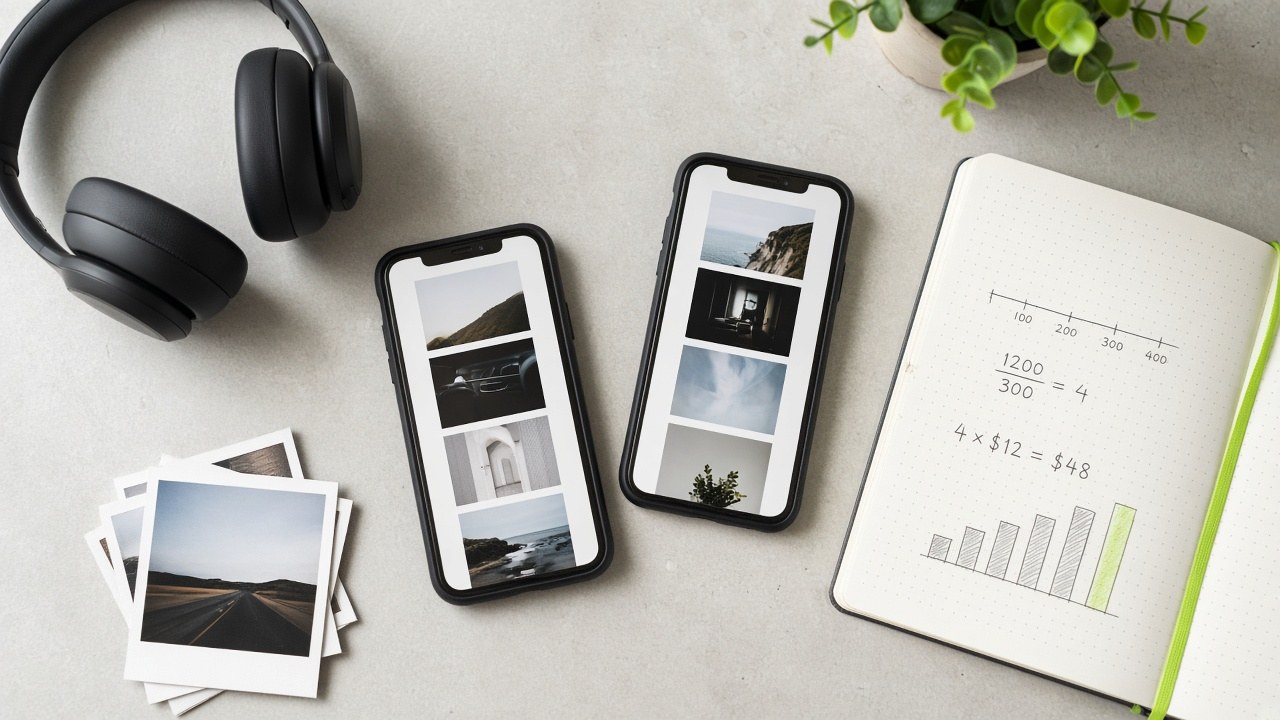
Slideshow view CPM = (monthly plan cost ÷ (slideshow credits × expected views per slideshow)) × 1,000. Use the same formula for every plan so Artist, Pro, Label, and Label Plus stay comparable. Label the view assumption every time—here, 300 and 500 views on a warmed account.
Worked example (Artist, $19 / 60 slideshows, 300 views each):
Pricing from ampclip.io FAQ (billed monthly; cancel anytime): Artist $19 / 60, Pro $39 / 150, Label $99 / 500, Label Plus $249 / 1,500.
Plan
Monthly
Credits
CPM @ 300 views
CPM @ 500 views
Artist
$19
60
$1.06
$0.63
Pro
$39
150
$0.87
$0.52
Label
$99
500
$0.66
$0.40
Label Plus
$249
1,500
$0.55
$0.33
These CPMs assume you use the full month of credits. Unused credits raise effective CPM. Views are organic FYP / profile-adjacent views, not auction ad impressions—keep that distinction when you compare channels.
Side-by-side: AmpClip vs nano seeding vs paid ads
AmpClip Photo Mode view CPM can land near $0.33–$1.06 at a 300–500 views planning assumption on full credits. Nano seeding often quotes $10–$200 per video or ~$2k–$3.5k waves. TikTok Ads commonly sit around $3.50–$8.50+ CPM, Spotify audio around $15–$25, and Meta Books & Music medians near $14–$15—different products, not interchangeable dollars.
Public music-marketing ranges (third-party; bands move by geography, creative, and season):
Nano creator seeding: roughly $10–$200 per video; campaign waves often land near $2,000–$3,500 (ranges commonly cited by Chartlex, Dynamoi, Make Influence, Awisee and similar seeding roundups).
TikTok Ads: roughly $3.50–$8.50+ CPM in entertainment / Spark-style bands (rule1, ttcalculator-style summaries; your account will see different bids).
Spotify Ads (audio): roughly $15–$25 CPM in industry reviews and Spotify pricing pages (Chartlex Spotify reviews, MusicPulse, ads.spotify.com/pricing).
Meta Ads: median around $14–$15 CPM in Books & Music / platform rollups (e.g. Triple Whale-style benchmarks)—useful as a ceiling check, not a music DSP substitute.
Channel
What you buy
Typical cost signal
Best when you need
AmpClip Photo Mode
Owned slideshow inventory + Official Sound handoff
Do not treat DistroKid (or any distributor) as a CPM peer. Distribution gets the Official Sound into TikTok’s library; it does not buy views. CapCut tutorials teach editing; they are not a media cost line.
When each channel wins
Choose AmpClip for creative volume of Official Sound Photo Mode beds, nano creators for creator-native proof, TikTok Ads for paid reach behind winners, Spotify Ads for DSP-native audio, and Meta for off-TikTok awareness. Match the channel to the job before you optimize CPM.
AmpClip wins when you need many distinct Photo Mode premises for one release—without filming the artist every day. Managers and labels also win on shared studio credits across a roster (Pro up to three artists; Label unlimited roster per ampclip.io FAQ).
Nano seeding wins when a trusted creator’s face, niche, or storytelling style is the product. Pay for the person and the usage moment, not for slide throughput.
TikTok Ads / Spark win after you already have a post or sound clip worth buying reach behind. Paying CPM on unproven creative usually burns budget faster than iterating organic beds.
Spotify Ads win when the job is DSP-native listening, playlists, or mid-funnel converts who already stream. They are a poor substitute for TikTok sound discovery, and TikTok slideshows are a poor substitute for audio ads on Spotify.
Meta wins for awareness or retargeting outside TikTok—not as a primary Official Sound seeding engine.
A practical stack for many indie teams:
Build a batch of sound-agnostic Photo Mode posts (owned inventory).
Watch which premises earn saves, comments, and sound interest.
Optionally seed a few nano creators on the angles that already work.
Optionally put Spark / TikTok Ads behind the winners.
Use Spotify Ads when you specifically need DSP audio reach—not as a TikTok replacement.
Caveats before you trust any CPM
View CPM is not seed outcome. Cheap views on weak premises still fail. Expensive nano posts can still fail. Track comments, saves, shares, profile visits, and whether people use the sound—not only average views.
Warm-up matters. The 300–500 planning range assumes a warmed account. Cold or restricted accounts can under-deliver; viral outliers can over-deliver. Recalculate with your median views after two weeks of posting.
FYP views are not the same as ad impressions. Organic views and auction impressions have different delivery, frequency, and optimization. Label them when you brief a manager or label.
No usage or stream guarantees. AmpClip (and honest seeding vendors) sell inventory and workflow, not chart positions. Official Sound availability still depends on your distributor, account type, and territory.
Disclosure. When creators are paid, follow platform and FTC disclosure norms. Owned Photo Mode posts from the artist account are advertising in spirit even when unpaid—keep claims honest.
What to do with $19–$99 this month
If you are an indie artist or manager comparing TikTok sound seeding cost vs Spotify ads, start with the math you control:
Divide monthly cost by (credits × your realistic views per post).
Compare that view CPM to one nano wave quote and to Spotify’s audio CPM band.
Spend the next budget on the job you actually need: volume of beds, creator proof, paid TikTok reach, or DSP audio.
Try AmpClip when you want Photo Mode inventory and Official Sound handoff without inventing a CapCut pipeline from scratch. Soft signup only—no fabricated user counts or ROI claims here.
Frequently asked questions
Indie artists usually compare three costs: owned Photo Mode inventory (AmpClip plans from $19/month), paid nano seeding ($10–$200 per video or multi-thousand-dollar waves), and paid ads (TikTok roughly $3.50–$8.50+ CPM, Spotify audio roughly $15–$25 CPM). Use the FAQ answers below to brief a manager without mixing those products.
How much does TikTok sound seeding cost for indie artists?
Indie sound seeding usually means either owned posts (time + tools) or paid creators. Nano videos are often quoted around $10–$200 each, with waves near $2,000–$3,500. Owned Photo Mode inventory via AmpClip starts at $19/month for 60 slideshows (Artist plan on ampclip.io)—a different product from buying someone else’s audience.
What is a good CPM for promoting a song on TikTok?
There is no universal “good” CPM. AmpClip view CPM on full credits can land roughly $0.33–$1.06 at a 300–500 views-per-slideshow planning assumption. TikTok Ads often quote ~$3.50–$8.50+. Judge CPM against the outcome you bought—views, creator usage, or paid reach—not against a single industry number.
How do Spotify ads CPM compare to TikTok influencer seeding?
Spotify audio ads commonly sit around $15–$25 CPM. TikTok nano seeding is usually priced per video or per wave, not as a clean CPM, so convert carefully. Spotify buys listeners in a streaming context; influencer seeding buys creator-native TikTok moments. Compare jobs first, then unit economics.
How do you calculate CPM for faceless TikTok slideshows?
Use (plan cost ÷ (slideshows × views per slideshow)) × 1,000. Example: Artist $19 ÷ (60 × 300) × 1,000 ≈ $1.06. Always state the view assumption and whether credits were fully used.
When should a label buy nano creators vs Photo Mode inventory?
Buy Photo Mode inventory when you need many cleared, on-brand beds across a roster calendar. Buy nano creators when a specific creator’s audience or storytelling is the growth lever. Many labels do both: owned volume first, then paid creators and Spark on proven angles.
TikTok sound seeding is getting many accounts to use the same hook segment of your track so usage looks like a trend—not posting face-forward from your artist account every day. You still need the song findable as an official sound, a reusable 10–15 second bed, and staggered posts across niches. Faceless Photo Mode slideshows are one inventory layer when you will not (or cannot) be on camera.
This playbook is for indie artists and managers who know sound usage drives discovery but will not become full-time TikTok creators. It covers prerequisites, seeding vs self-posting, how labels and agencies run volume without the artist on camera every day, a step-by-step wave, real sound-agnostic Photo Mode patterns from format research, common mistakes, and an honest product next step.
What TikTok sound seeding actually means
Sound seeding means activating many small creators (often nano and micro accounts) to post with the same official audio clip so the platform and other creators see spread—not one sponsored mega-post. Industry playbooks commonly describe a first wave in the 20–40 creator range; the goal is trend-shaped usage, then watch for organic uses you did not pay for.
You are not asking creators to “promote the artist.” You are offering audio that already fits content they make—morning routines, mood dumps, tip carousels, aesthetic dumps. A major-label marketer cited in Billboard reporting (recapped by Chartlex and Tubefilter) estimated that roughly 75% of popular TikTok songs started with a creator marketing campaign. Treat that as one marketer’s industry belief, not a measured guarantee for any one release.
Indie-facing guides (e.g. Chartlex’s 2026 nano playbook) frame seeding as volume and niche fit: many genuine small posts beat one expensive celebrity placement because the recommendation system reads breadth as a real trend.
Self-posting vs seeding
Approach
What you control
What it buys you
Best use
Artist-account posting
Brand, hook tests, story
Trust with existing fans; creative R&D
Light cadence + model videos
Creator / nano seeding
Brief, window, niches
Sound-page usage breadth
Simulate trend-shaped spread
Faceless Photo Mode inventory
Format quality, audio bed
Volume without your face on every post
When you will not post daily on camera
Best practice for most indies: combine light self-posting (to show the hook and claim the sound) with seeded volume—without treating either as a viral guarantee.
Prerequisite: make the sound findable before you spend
Before any seed budget, your track must appear as a proper, artist-attributed official sound that creators can attach—and that supports Add to Music App / DSP handoff when available. Seeding a re-upload or a broken metadata link wastes money and confuses listeners who want the full song.
Educational path (not an affiliate push): distributors such as DistroKid document delivering releases to TikTok & other Bytedance stores so the track lands in the audio library and is searchable in-app (often cited as roughly 1–3 weeks after submit). DistroKid’s help center also warns that uploading your own file as an “original sound” instead of selecting the library sound can mute videos—so creators (and you) should attach the library entry.
High-level checklist:
Confirm the track is live (or correctly prepped) on streaming platforms you care about.
Spot-check that saving / “Add to Music App” behavior matches the right recording.
Cut a 10–15 second hook that works as a bed (mood and energy), not only as a lyric punchline creators must illustrate.
If the clip does not work under cooking, gym, or aesthetic content, seeding more accounts will not fix the moment.
Why posting only from your artist account is not enough
TikTok distributes music primarily through sound reuse across many videos, not through follower growth on the artist page alone. Artist-brand posts (studio clips, “out now,” performance scraps) still matter for trust and testing—but they rarely create the multi-niche usage pattern that makes a sound feel ambient.
Slow Oak’s 2026 operator view puts it bluntly: treat the song as audio infrastructure for content, then seed creators in the content category the sound fits (lifestyle, mood, tips)—not only music-review accounts. One artist posting daily still looks like one account. Forty compatible posts across unrelated niches in a staggered window look more like a trend.
That is why “I posted 5× a day and nothing happened” is a common trap: the algorithm is watching sound-page breadth and engagement patterns, not only your posting streak.
How the industry seeds without the artist posting every day
Public reporting shows labels and music marketers already treat “artist posts daily” as optional: they place the same hook under many non-artist accounts so the sound looks ambient. Names for the tactic vary—“seeding,” “volume posting,” “trend simulation,” “burner pages”—but the shared mechanic is breadth of usage, not one face-forward artist feed.
Concrete, already-published industry patterns (attribute carefully; none of these are AmpClip results):
Warner Records “burner pages” (Billboard Pro, Aug 2025). Will Morrow, SVP / head of viral marketing at Warner Records, told Billboard the label adopted burner-page volume around 2023 and cited campaigns for Sombr, Benson Boone, and Teddy Swims as effective use cases—observing that pages with roughly 20 followers could still reach millions of views when the content and sound connected. Source: Billboard Pro on burner pages / volume posting.
Chaotic Good “trend simulation.” The same Billboard feature describes agencies building themed, often faceless pages (meme, truck, coffee-cup quote aesthetics) and syncing the promo track in the background—matching page niche to song demographic rather than buying one mega-creator shoutout.
Hundred Days Discord clipping communities. Billboard reports Hundred Days running a Discord of roughly 2,000 creators across lyric, film/TV edit, quotes/aesthetic, and sports-edit categories, then dropping client briefs (e.g. a roughly $5,000 spend split across lyric + quote pages) into the server so category creators opt in—volume without the artist filming daily.
Indie nano playbooks. Chartlex’s 2026 guide still frames a practical independent first wave as roughly 20–40 nano/micro creators, light briefs, and a 5–7 day stagger, with unpaid sound-page pickup as the scale signal (Chartlex playbook).
Disclosure: paid placements sit in an active compliance area. Tubefilter’s coverage of FTC commentary on background-song promotions notes ambiguity in some cases; play it safe—follow current FTC guidance and local rules, and ask creators to disclose when in doubt (Tubefilter).
Indies will not run Warner-scale fleets. The transferable lesson is smaller: you do not have to be the daily face if the sound appears under many native-feeling posts in the right niches—and if you measure organic reuse, not only your own account views.
A seeding playbook if you will not post every day
Indie artists who refuse the daily face-forward grind can still run a disciplined seed wave: pick a reusable hook, brief for native content (or add faceless slideshow inventory), stagger posts over roughly a week, and scale only when unpaid creators start using the sound. Conceptual first-wave ranges in public playbooks often land around 20–40 nano/micro creators; smaller test waves (e.g. 5–10) appear in other guides—pick a scope you can actually manage and measure.
Steps
Pick the hook segment. Choose about 10–15 seconds that lands energy immediately and survives out of context.
Map the natural content category. Ask: morning routine, outfit dump, study aesthetic, gym tip, soft journal? Seed that niche—not “anyone with followers.”
Decide face vs faceless inventory. Face-forward creator posts for authenticity where needed; Photo Mode slideshows / aesthetic carousels for volume without you on camera.
Write a light brief. Sound link, exact timestamp, one feeling sentence, 2–3 optional angles, posting window, and disclosure guidance. Do not script ad-speak.
Stagger the window. Spread posts across roughly 5–7 days (some guides use 7–10). One dump hour can look artificial; a drip reads more organic.
Watch the real signal. On the official sound page, look for usage climbing beyond posts you paid or arranged—unpaid creators picking it up. That is the common “green light” to fund a second wave.
Only then consider paid amplification. Boost winning posts or formats after organic proof. Skip deep ad-ops rabbit holes until the clip is already working.
Budget context from public 2026 seeding write-ups (Chartlex summarizing industry rate guides and Billboard agency commentary): nano posts often land roughly $10–$150 each; a meaningful indie first wave is sometimes framed around a few thousand dollars; agencies have cited about $5,000 as a low end for label-scale campaigns they expect to move a needle. Use those as orientation, not AmpClip promises—and set expectations to ignite a niche, not national chart overnight.
Disclosure: paid placements sit in an active compliance area. Tubefilter’s coverage of FTC commentary on background-song promotions notes ambiguity in some cases; play it safe—follow current FTC guidance and local rules, and ask creators to disclose when in doubt.
Where faceless Photo Mode slideshows fit
Photo Mode slideshows (swipeable image carousels with continuous audio) are a low-production way to put your official sound under interesting visuals without filming yourself every day. For seeding, they work best when the slides stay compelling if the audio were swapped—sound-agnostic beds—not lyric-on-screen karaoke.
Why that distinction matters:
Lyric-lock / lyric videos illustrate one specific song. Great for fans who already care; weak as reusable seeding inventory because the visual dies when the track changes.
Sound-agnostic slideshows (mood dumps, soft motivation, beauty/lifestyle mood, quiet-luxury stills, nostalgia grids) keep attention on the content. Your promo audio is the bed. Creators and systems can reuse the format pattern across tracks.
Use slideshows as:
Artist-side volume when you will not be on camera
Complementary inventory beside nano creator seeding (not a full replacement for human UGC when authenticity is the goal)
A testing surface for which hook segment holds under different visual moods
Real Photo Mode patterns that work as beds (format research)
In a research sample of 3,715 curated Photo Mode posts across 1,128 creators (Popular-biased inventory; median ~7 slides), the templates that look most reusable as paid promo beds are sound-agnostic mood formats—not lyric karaoke. The examples below are observed public posts from a curated shortlist from format research, not AmpClip case studies, and ~views are research observations at collection time—not AmpClip performance.
Era nostalgia visuals; not lyric-locked to one song
~1.2M
Format research repeatedly demotes patterns that fight seeding inventory: tip→hard-CTA funnels (e.g. @parentinghacks4), music-rec lists of other songs, and competing-artist song-lock like “I listen to {Artist} in the gym” (e.g. @gym_motivation085). Those can perform as posts—but they lock the visual to a curriculum, catalog, or another artist’s identity, so they are weak beds when your audio is the product.
Billboard’s anonymous coffee-cup quote marketer is the industry rhyme of this research: themed, often faceless, highly shareable visuals with the promo song as background—not a karaoke lyric video. For indie seeding, copy the structure (interesting slides + official sound), not any claim of guaranteed lift.
Mistakes that burn seed budget
Most failed seed waves fail before the first creator posts—or they measure the wrong thing. Avoid these patterns:
Seeding before the sound is in the library (or before Add-to-Music / metadata works)
Over-scripting creators into “new banger from X” ad-speak
Measuring only views on your own account instead of sound-page usage and unpaid pickup
Lyric videos only, with zero sound-agnostic volume
One-day launch dumps instead of multi-day staggered signal
Mega-influencer shoutouts as the whole plan (poor efficiency for most indie budgets)
Ignoring disclosure on paid placements
Song-lock formats (“I listen to X…”, lyric-on-screen karaoke) as your only inventory
What AmpClip is (honest one-liner)
AmpClip (ampclip.io) builds faceless TikTok Photo Mode slideshows bedded with paying artists’ promo audio—content designed to stay interesting when the track is swapped, not lyric illustration.
Plans are in the roughly $19 / $39 / $99 range, and a label API plan exists. No invented user counts, ROI, or press logos here. If you need slideshow inventory inside a seeding playbook—alongside or instead of daily face-forward posting—start at ampclip.io.
FAQ
What is TikTok sound seeding?
TikTok sound seeding is arranging for many creators—often nano and micro accounts—to post using the same official audio clip so usage looks like a developing trend. Public playbooks commonly describe first waves around 20–40 creators, with success judged by organic unpaid usage after the seeded posts, not vanity views on one account.
Does my song need to be in TikTok’s sound library first?
Yes for serious seeding. Creators need a findable, artist-attributed official sound, and listeners need a clean path to the full track (including Add to Music App / DSP linking when available). Distributors document delivering to TikTok’s audio library; DistroKid, for example, explains opting into TikTok & Bytedance stores so the track becomes searchable. Fix distribution and metadata before spending on posts.
Why isn’t posting only from my artist account enough?
Because discovery leans on sound reuse across many videos and niches. Your artist account builds brand and tests hooks; seeding creates the multi-account spread that makes a sound feel ambient. Billboard’s coverage of Warner’s burner-page work and agencies like Chaotic Good / Hundred Days shows major teams already optimize for volume of sound usage—not only the artist’s daily face-forward cadence.
What’s a realistic first seed wave?
Treat published ranges as conceptual, not guarantees: some guides suggest a small 5–10 creator test; others frame a fuller indie wave at 20–40 nano/micro creators staggered over about a week. Scale a second wave only if unpaid creators start using the sound.
What Photo Mode formats actually survive swapping the audio?
Observed sound-agnostic patterns from Photo Mode format research include aesthetic mood dumps, soft motivation one-liners, beauty/lifestyle mood, quiet-luxury / soft-life stills, and nostalgia grids—exemplars like @unfed, @motivation.slideshow, @i2u__, @the.dark.feminine, @gentlereminderrr, and @childhoodncstalgia. Demote lyric-on-screen karaoke and “I listen to {OtherArtist}” song-lock when the goal is reusable seeding beds.
Where do faceless slideshows fit vs paying creators?
Paying creators buys native UGC authenticity. Faceless Photo Mode slideshows buy sound-agnostic visual inventory without you on camera. Use both when helpful—slideshows as beds, creators as niche proof—not lyric karaoke as your only format.
Your next moves this week
Confirm the official sound is findable and the DSP handoff works (library attach, not a muted re-upload).
Lock a 10–15s hook that works as a bed under non-music visuals.
Choose niches (not “music Twitter”) and either brief 5–10 test creators or add faceless Photo Mode volume using sound-agnostic patterns (mood dump, soft motivation, beauty mood, soft-life, nostalgia).
Stagger posts 5–7 days; watch the sound page for unpaid pickup before spending more.