Everything below comes from public TikTok and distributor help pages, checked in October 2026.
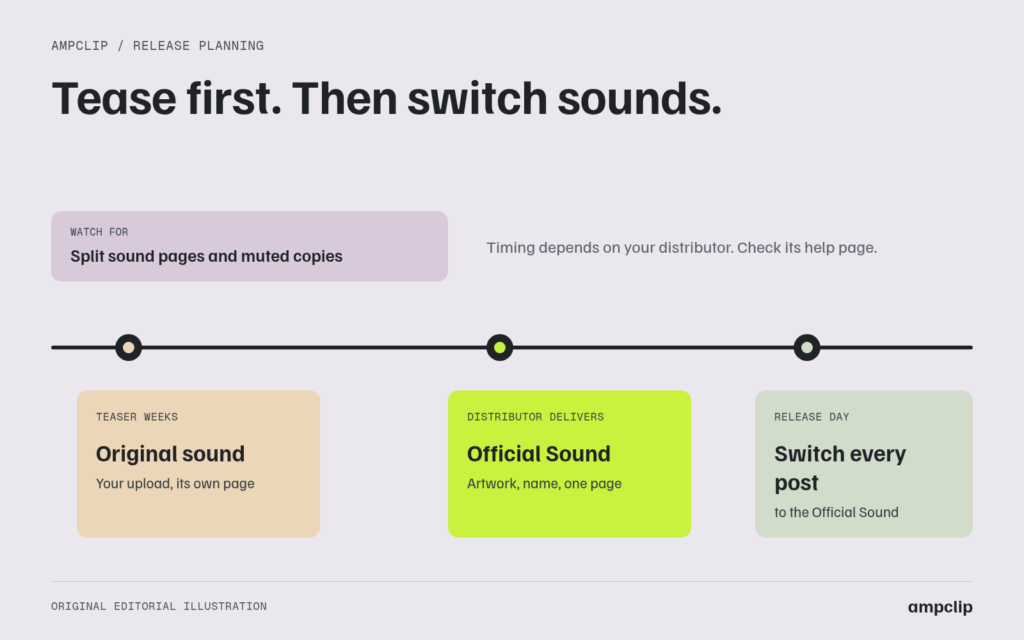
Should you tease a song on TikTok before it’s out? Usually yes, a little, but the mechanics matter more than most guides admit. Before your distributor delivers the song, the only way to use it on TikTok is to upload it yourself as an “original sound.” That sound lives on its own page, separate from the Official Sound that arrives later, and several distributors warn that self-uploaded copies of a delivered song can get muted.
So the real decision isn’t just “tease or don’t.” It’s which kind of teaser, on which sound, and when the official version will exist. If you mainly want to know whether to tease at all, our guide to promoting a song after release has a quick answer. This page covers what actually happens to the audio.
What’s the difference between an original sound and an Official Sound?
An original sound is created when someone posts a video with their own audio; by default TikTok names it “original sound” plus the poster’s handle. An Official Sound is your released track, delivered by a distributor into TikTok’s music library with your artist name, title and cover art. They’re separate sound pages, even if the audio is the same.
When we traced a sound in our Modern Cult case study, its label in TikTok’s data was “original sound –” followed by the page’s handle. That’s the default you’ll see on your own teaser.
| Original sound (your teaser) | Official Sound (after delivery) | |
|---|---|---|
| How it’s created | You post a video with the song playing | Your distributor delivers the release to TikTok |
| Name on the sound page | “original sound – yourhandle” unless renamed | Song title and artist name |
| Artwork | Not your release artwork | Your release artwork |
| Listed in the music library | No | Yes, findable under Sounds |
| Counts toward the release | Only if TikTok matches it (see below) | Yes |
| Risk | Can be muted once the song is delivered | Business accounts may not be able to use it |
SoundCampaign’s help center gives a quick visual check: an Official Sound shows the release cover, track name and artist name. If one is missing, it’s probably an original sound.
When will your song be available as an Official Sound?
It depends on your distributor. DistroKid’s help center says releases should go live and be searchable in TikTok within one to three weeks of submission. TuneCore says about five days. CD Baby says to allow at least 30 days from delivery before expecting the sound. SoundOn, TikTok’s own distributor, recommends uploading at least a week ahead.
| Distributor | What its help page says about TikTok timing | Source |
|---|---|---|
| DistroKid | “Within 1-3 weeks of being submitted” (its marketing page says faster) | DistroKid Help Center |
| TuneCore | “About 5 days for most releases” | TuneCore Support |
| CD Baby | Allow at least 30 days from delivery before expecting the sound in the library | CD Baby Help Center |
| SoundOn | Upload at least one week ahead for TikTok; moderation aims for three working days | SoundOn distribution timelines |
Plan around the slowest number that applies to you. If your teaser campaign starts working before the Official Sound exists, people who want to use the song have nothing to pick except your original sound.
Two settings are worth getting right before you submit, because they decide what part of the song TikTok users hear. TuneCore lets you set a TikTok clip start time and says its clip contains the next 60 seconds. CD Baby says it submits a 60-second clip, that timing can only be set during the original submission, and that clip edits aren’t possible once a release is finalized. Teasers are a good way to decide which section that should be.
Can you get an Official Sound out before the song is released?
Sometimes. SoundOn lets you pre-release a TikTok clip ahead of the song’s release date; the pre-release must be at least 24 hours before release, and SoundOn recommends at least seven days. For albums and EPs, TikTok for Artists also offers pre-save campaigns, according to UnitedMasters’ help center. We didn’t find an equivalent clip pre-release in the DistroKid, TuneCore or CD Baby help pages we checked.
Details from the official pages:
- SoundOn clip pre-release. SoundOn’s FAQ says you can choose to pre-release the clip after setting the release date, and the pre-release date must be at least 24 hours before the track’s release. Its pre-release best practices recommend at least seven days, and up to 14 for an album or EP. SoundOn’s help center also lists pre-release as an add-on, so check whether your plan includes it.
- TikTok pre-save campaigns. UnitedMasters’ help article (updated August 2026) says the feature is set up in TikTok for Artists, needs an Artist Account, and is currently limited to albums and EPs and to artists in the United States or Canada. Campaigns can start up to 365 days before release and can add a pre-save button to your profile, the sound page, and selected videos that don’t already use the Official Sound.
If neither applies to you, the honest options are an original-sound teaser or a teaser without the song.
What happens to an original-sound teaser after release?
TikTok may match it to your release, but don’t count on it. CD Baby says TikTok fingerprints audio in videos not made with a library sound and attributes matches to your release for reporting and revenue. DistroKid says you can ask for an original sound to be claimed and merged with your release, but only once it’s been used in over 1,000 videos.
What each source actually says:
- Matching. CD Baby describes a “fingerprint sound” method: TikTok compares the audio in videos that weren’t made with a library sound against its database, and attributes a match to your release. That’s about attribution and revenue. It doesn’t promise the original sound page itself will be merged or relabeled.
- Manual merge. DistroKid says you can request to claim an original sound and merge it with your release if the music has been used in over 1,000 videos, and you need to give the time range where the song appears. The page also mentions DistroKid’s Social Media Pack in connection with this request.
- Muting. DistroKid’s help center says uploading your release as an original sound instead of choosing it from the TikTok sound library “will cause your video to be muted.” Another DistroKid article says it “may lead to” muting. CD Baby says muting can come from territory restrictions, rights conflicts or moderation decisions, and that it can’t override them.
We couldn’t find a TikTok or distributor page that says exactly when, or whether, a teaser posted before delivery gets muted later. Treat it as a real possibility: a teaser that does well could lose its audio, or keep living on a separate sound page that doesn’t point to your release.
Which kind of teaser should you post?
If your distributor can deliver early, or you can use SoundOn’s clip pre-release, tease on the Official Sound. If you can’t, post a small number of original-sound teasers aimed at your existing audience, and plan to switch every post to the Official Sound as soon as it appears. If you want fans making videos with the song, wait for the Official Sound.
| Your situation | Best teaser | Why |
|---|---|---|
| You can pre-release a clip, or the Official Sound will be live before release | Tease on the Official Sound | Every use counts on one sound page that shows your artwork and name |
| No early Official Sound, you have an audience | 2–4 original-sound teasers in the last week or two | Builds interest without asking strangers to use a sound that may split or get muted |
| You want to know which section hooks people | A few teasers using different sections | Tells you which section to choose as your TikTok clip before you submit |
| You want other people to make videos with it | Wait for the Official Sound | Uses of an original sound sit on a separate page and may not count toward the release |
| New artist, few followers | Mostly promote after release | People can save and stream it immediately. See how to promote a song after release |
Teasers don’t need the song at all, either. A post about writing the song, a lyric written out by hand, or a “coming Friday” post with the release date all build interest without any sound-page problems.
How to run an original-sound teaser safely
Keep it small, from an account where you can use music, aimed at people who already follow you. Put the release date on screen, then move to the Official Sound as soon as it’s live. After release, search the sound picker for your song and use that for every new post.
- Submit early. Send the release to your distributor with TikTok selected well before your teaser plan begins, and set the clip start time if your distributor allows it.
- Use a personal or creator account. DistroKid and CD Baby both say Business accounts can’t use standard library music. Fix this before release week, not after.
- Post two to four teasers. Lead with the section you’re considering as your TikTok clip. Put the release date on screen.
- Don’t ask strangers to use the original sound. Save “use this sound” requests for the Official Sound.
- Check daily for the Official Sound. Search your artist name and song title, then tap the Sounds tab. When it shows your artwork, copy the link.
- Switch every new post to the Official Sound. Leave the old teasers up, but stop adding to that original sound.
- If the song still isn’t there, work through why your song isn’t showing up on TikTok before you re-upload anything.
Common questions
Will my original-sound teaser be linked to my song after release?
Possibly, but it isn’t guaranteed. CD Baby says TikTok fingerprints audio and attributes matches to your release. DistroKid says a manual merge is only possible for original sounds used in over 1,000 videos.
Can I upload my unreleased song to TikTok as a sound?
You can post a video with the song playing, which creates an original sound. Distributors warn that self-uploaded copies of a delivered song can be muted, so keep teasers few and switch to the Official Sound once it’s live.
How early should I send my song to my distributor for TikTok?
Allow at least the slowest estimate for your distributor: DistroKid says one to three weeks, TuneCore about five days, CD Baby up to 30 days. SoundOn recommends uploading at least a week ahead for TikTok.
Can I put a pre-save button on TikTok for a single?
According to UnitedMasters’ help center, TikTok’s pre-save campaigns are currently limited to albums and EPs, for Artist Accounts in the US and Canada. For a single, put the pre-save link in your bio.
Your next steps
- Check your distributor’s TikTok timing and submit with TikTok selected.
- Decide which section of the song should be your TikTok clip, and set it during submission if you can.
- Post a few teasers, on the Official Sound if it’s available or original sound if not, to the people who already follow you.
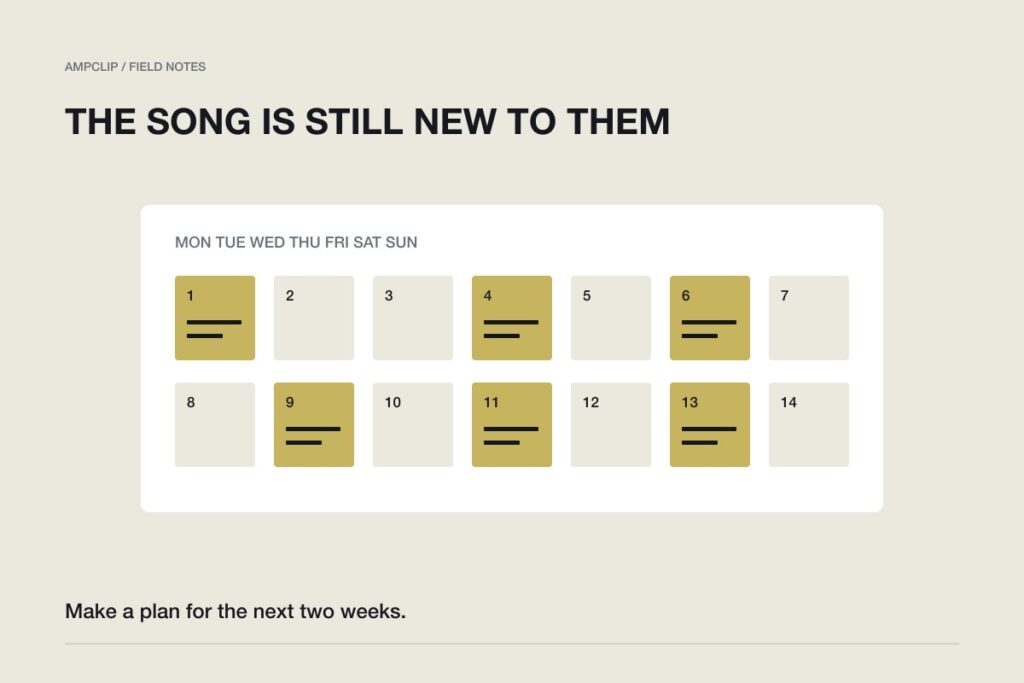
- The day the Official Sound appears, switch every new post to it, then follow the two-week plan for after release.
Distributor and TikTok help pages were checked in October 2026. Confirm delivery details with your distributor before scheduling a teaser.